FEATURED CASE STUDY
Experience Cloud • Agentforce • Omni-Channel • Knowledge • Flow Automation • LWC
Support Ecosystem
Customer
↓
Portal / Messaging
↓
Agentforce
↓
Automation Layer
↓
Knowledge
↓
Omni-Channel
↓
Support Agent
Business Challenge
Customers require support through multiple channels while expecting immediate responses, self-service options, intelligent routing, and seamless escalation to human agents. Traditional support models create delays, fragmented customer experiences, and manual workloads.
Solution Overview
Implemented a Salesforce-powered support ecosystem integrating Experience Cloud, Agentforce AI, Flow Automation, Knowledge, Omni-Channel, Embedded Messaging, and custom Lightning Web Components. The solution combines AI assistance with human expertise to provide a connected customer support experience.
ARCHITECTURE OVERVIEW
Customer
Portal / Messaging
Agentforce
Automation + Knowledge + Routing
Support Agent
Customer requests enter through Experience Cloud and Messaging channels. Agentforce evaluates intent, leverages Knowledge content, and determines whether automated resolution or escalation is required. Cases are managed through Flow Automation and routed through Omni-Channel for human-assisted resolution when needed.
3
Agentforce Topics
7
Automated Flows
2
Messaging Channels
1
Experience Cloud Portal
A fast-read lifecycle view showing how a customer moves from self-service to AI assistance, automation, routed support, and final resolution.
Customer
Portal / Chat
Agentforce
Knowledge
Flow Automation
Omni-Channel
Support Agent
Resolution
The lifecycle is intentionally designed around decision points: self-service first, AI-assisted triage second, automated orchestration third, and human escalation when context or complexity requires it.
Platform Architecture Layers
Each layer contributes a distinct architectural responsibility, from customer access to AI decisioning, orchestration, routing, knowledge, and custom engineering.


Layer 1 — Experience Cloud
Customer-facing portal experience for self-service, Knowledge access, case submission, Embedded Messaging, and separate guest versus authenticated journeys.
Layer 2 — Agentforce
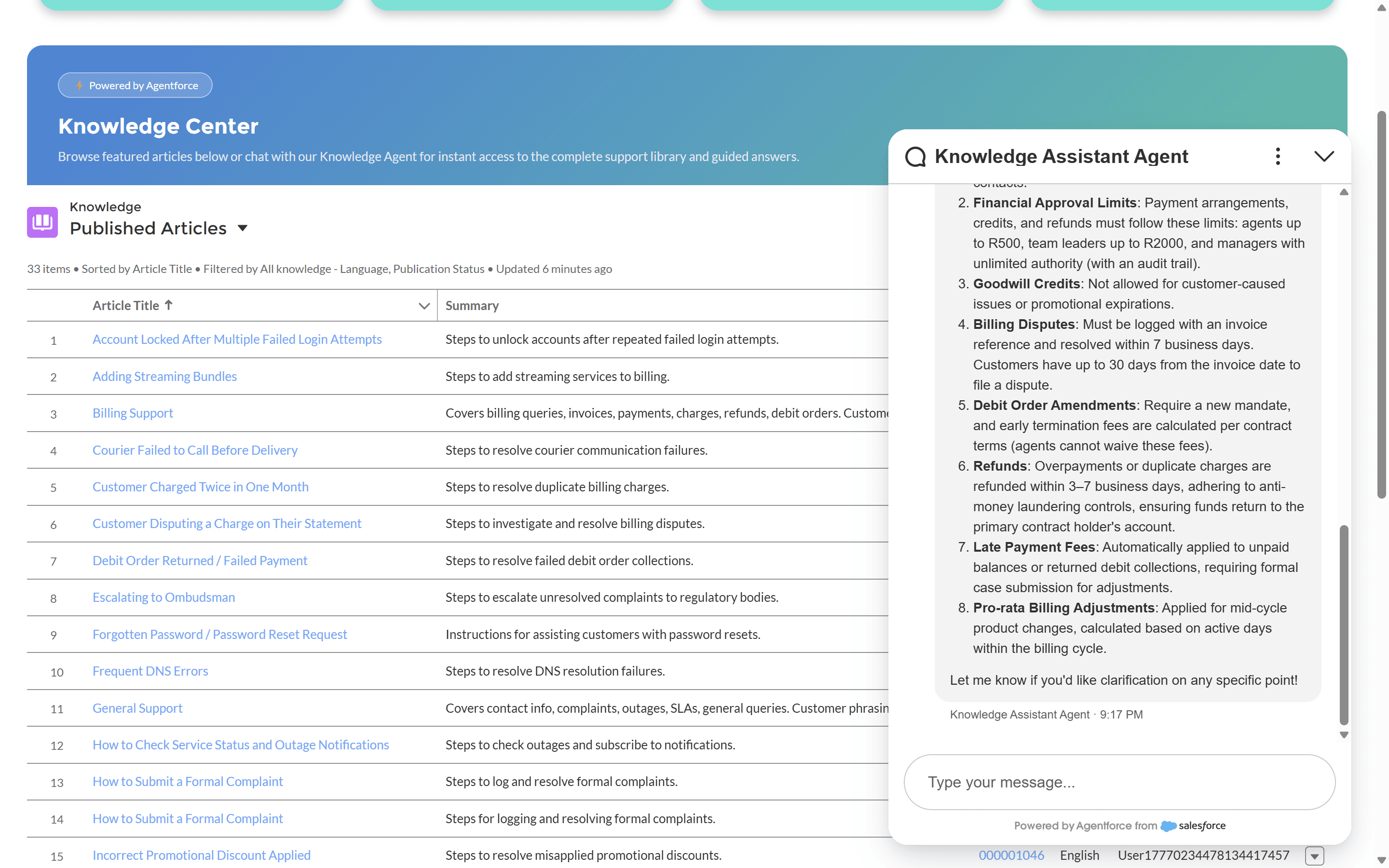
AI decision layer for intent recognition, AI assistance, Knowledge grounding, escalation decisions, and guided customer responses.





Layer 3 — Flow Automation
Process orchestration for case creation, assignment logic, escalation paths, fault handling, and lifecycle management across the support operation.
Layer 4 — Omni-Channel
Work distribution layer covering queue routing, agent capacity, presence management, and structured human escalation when automated support reaches its boundary.




Layer 5 — Knowledge
Knowledge-driven support for article management, AI grounding, self-service content, and search experiences that reduce unnecessary escalations.
Layer 6 — Solution Architecture & Governance
Solution Architecture & Governance highlights the design principles, automation framework, security model, and governance controls that support the platform. It illustrates how Agentforce, Salesforce Flows, Knowledge, and Omni-Channel are orchestrated to provide reliable, secure, and enterprise-ready customer service operations.
6.1 Architecture Overview
A high-level view of the end-to-end customer support platform, illustrating how Experience Cloud, Agentforce, Salesforce automation, Knowledge, and Omni-Channel work together.

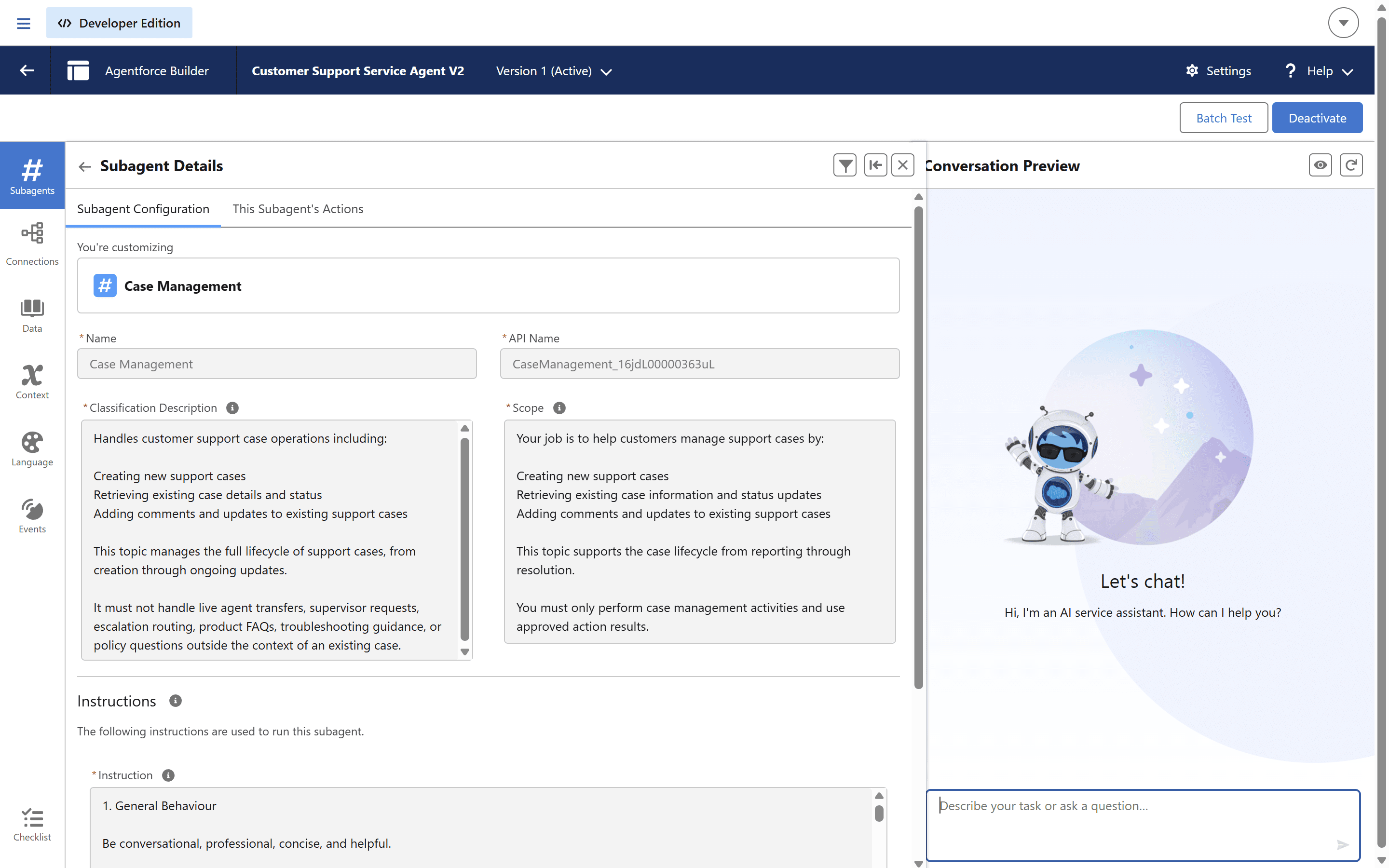
6.2 AI Configuration
Agentforce topics establish clear responsibility boundaries, ensuring customer requests are routed to the appropriate business process.



6.3 Business Automation
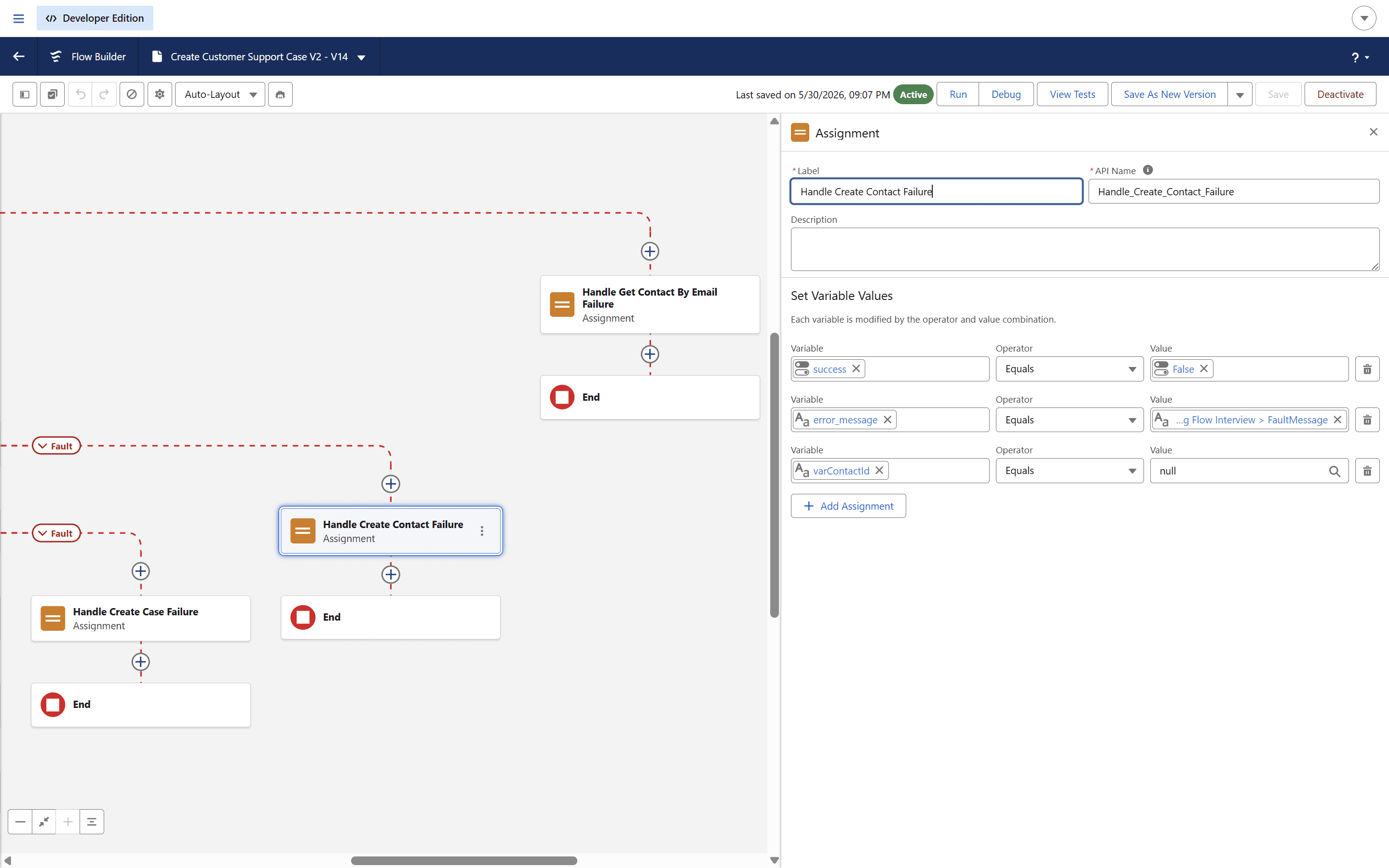
Agentforce actions invoke Salesforce automation to create, retrieve, update, and escalate customer requests.


6.4 Flow Orchestration
Salesforce Flow orchestrates the underlying business processes, providing a declarative and scalable automation framework.

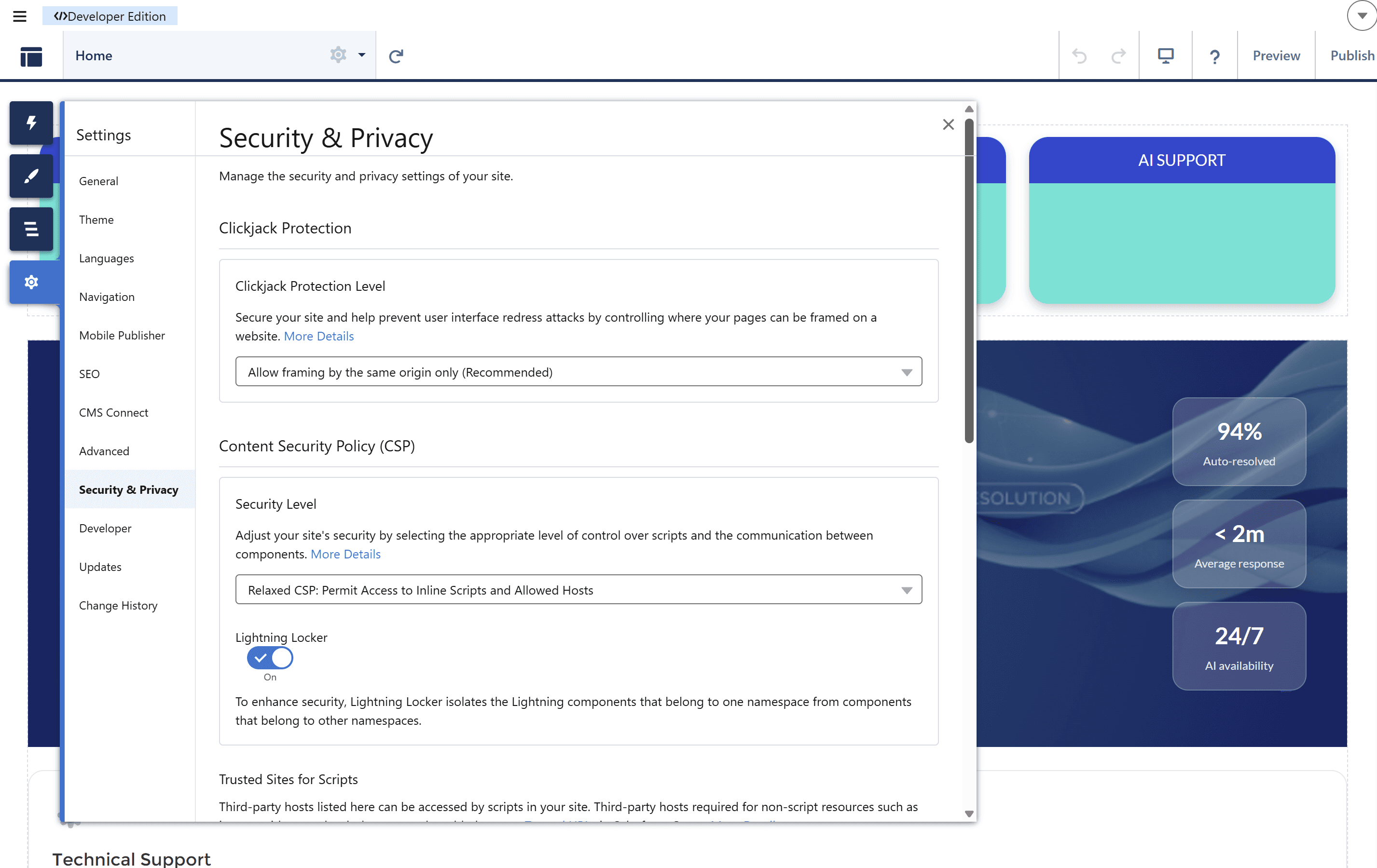
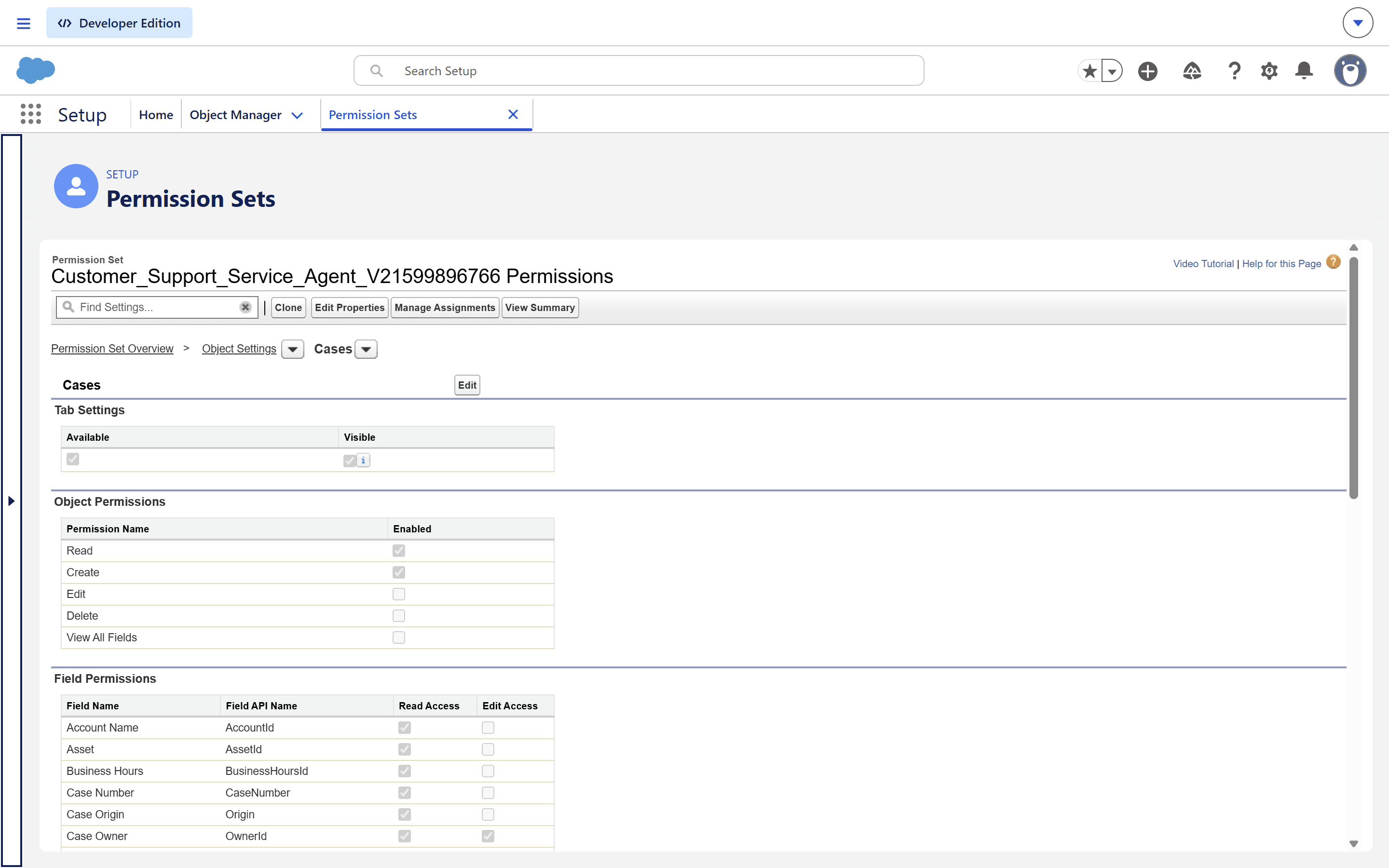
6.5 Security & Access
Security controls ensure customers, agents, and supervisors have appropriate access to records and support services.


6.6 Operational Governance
Operational governance provides visibility into workload distribution, escalation management, and support performance.


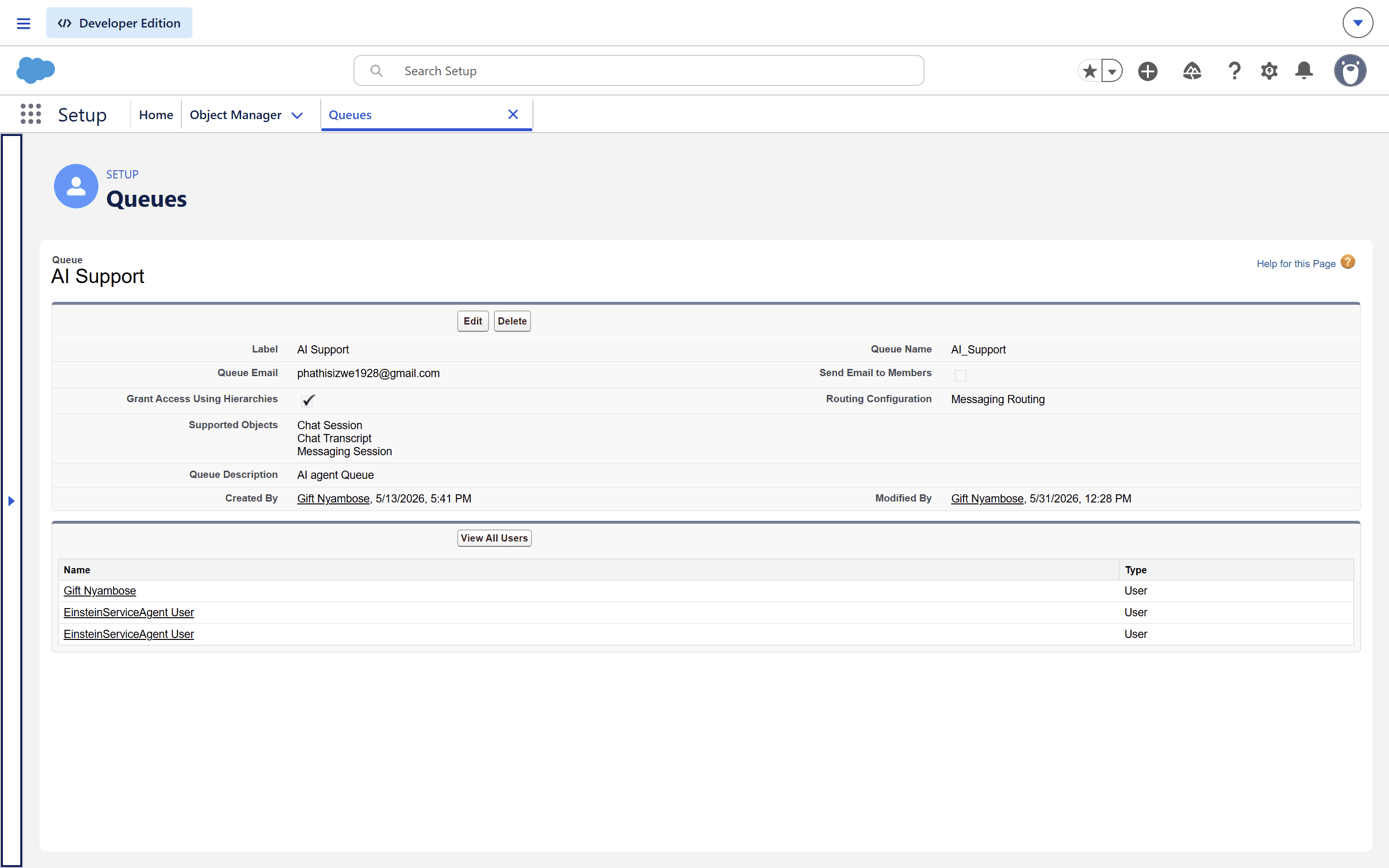

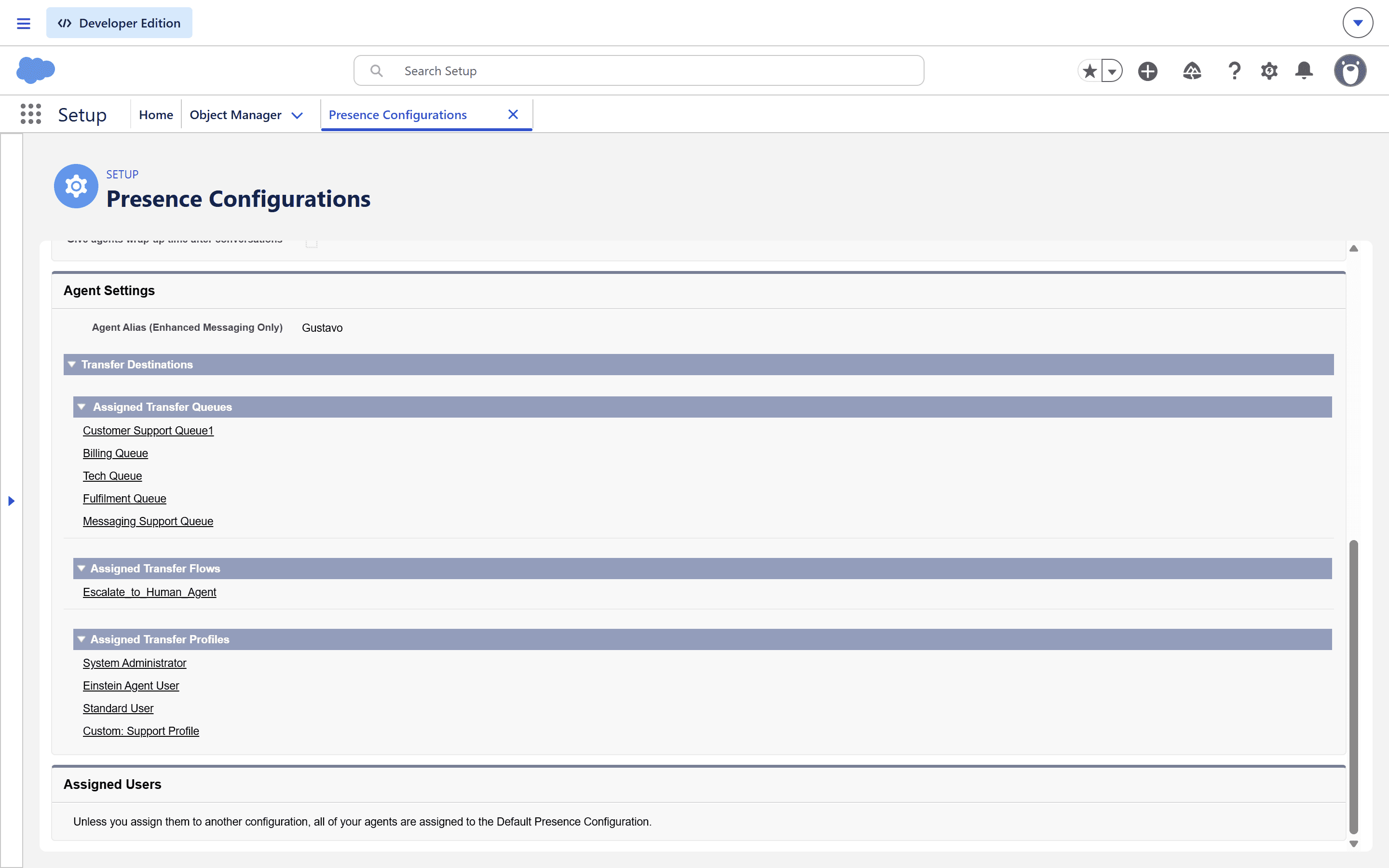
Four technical decisions shaped the architecture: escalation boundaries, routing logic, visibility controls, and messaging integration.
Agentforce Escalation Design
Challenge → preserve AI speed without trapping customers in automation. Root Cause → escalation rules needed business context, not only intent. Solution → define escalation thresholds around confidence, sentiment, and unresolved Knowledge retrieval. Outcome → customers receive automation first while still reaching human expertise when needed.
Omni-Channel Routing Architecture
Challenge → route escalated work without overloading agents. Root Cause → queues, skills, and capacity must mirror real operations. Solution → align escalation entry points with Omni-Channel queue strategy and presence configuration. Outcome → support work reaches available agents with clearer ownership.
Experience Cloud Rendering & Visibility
Challenge → present different support options by user context. Root Cause → guest and authenticated experiences required separate access assumptions. Solution → structure page visibility, component placement, and Knowledge access around user state. Outcome → portal content feels consistent while honoring access boundaries.
Embedded Messaging Integration
Challenge → connect messaging entry points to the broader support lifecycle. Root Cause → chat cannot be treated as an isolated widget. Solution → integrate messaging with Agentforce evaluation, Flow-driven case handling, and Omni-Channel escalation. Outcome → conversations become part of the operational support system.
Implementation Evidence

Escalation Journey
A proof point for AI-to-human handoff
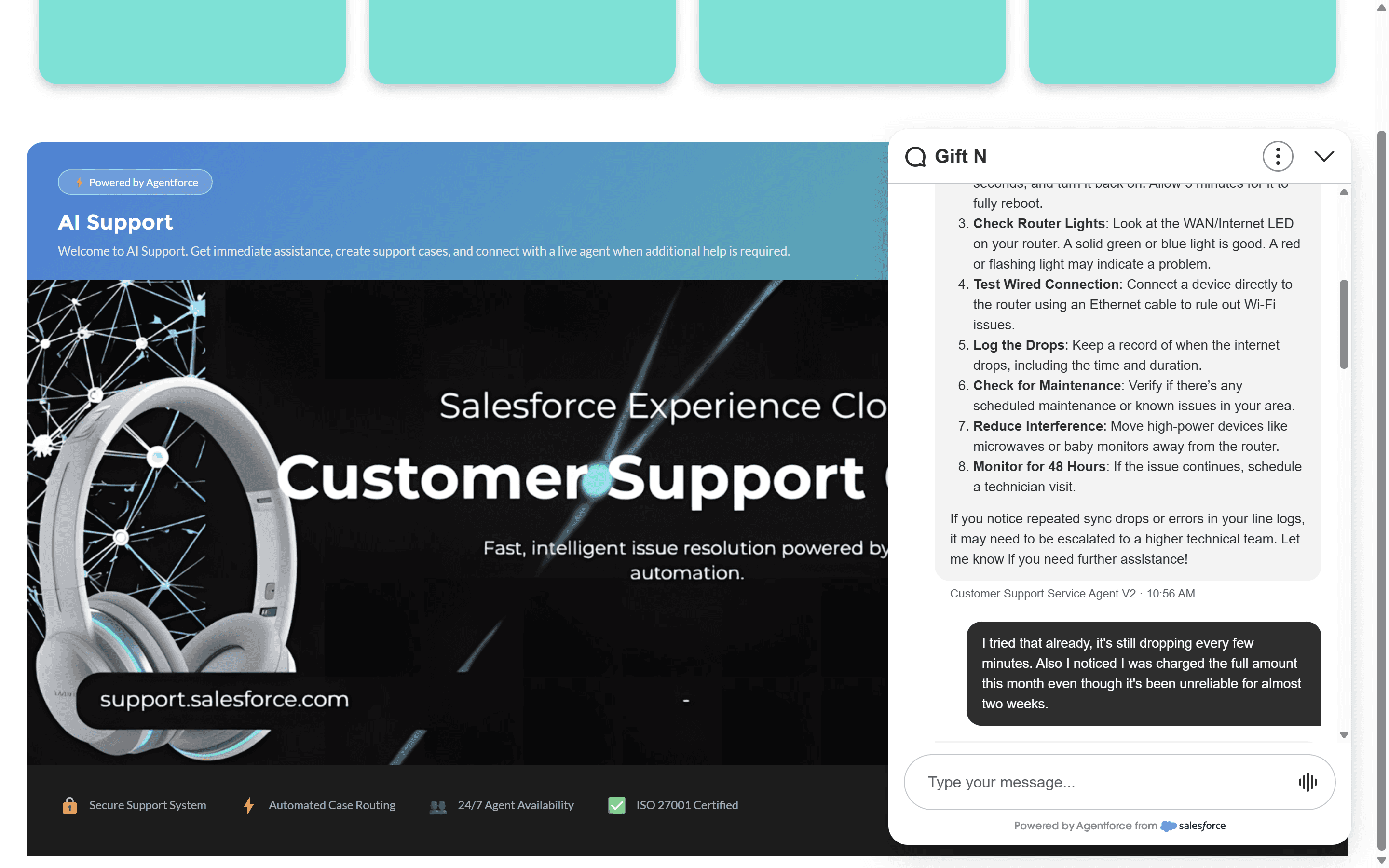
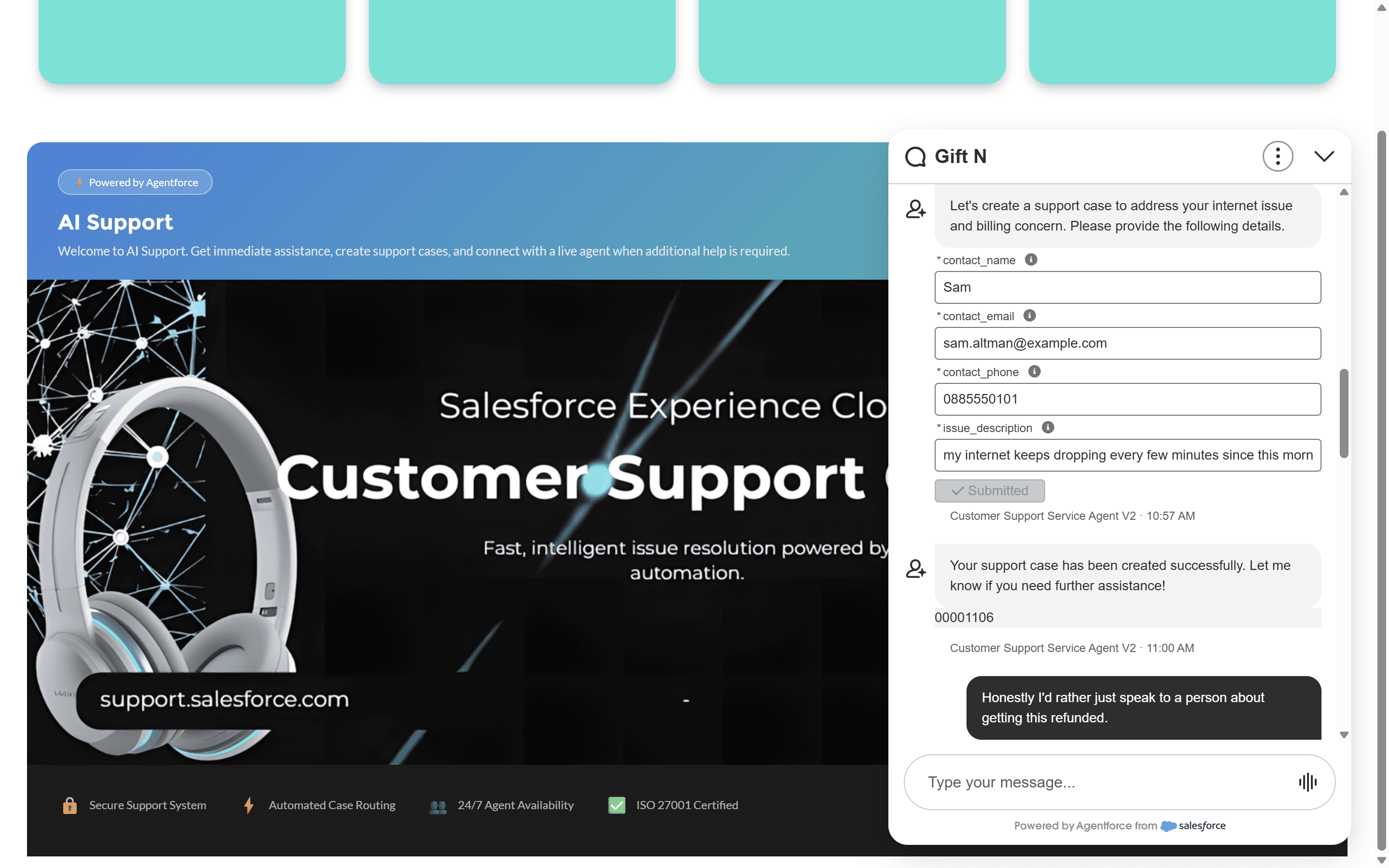
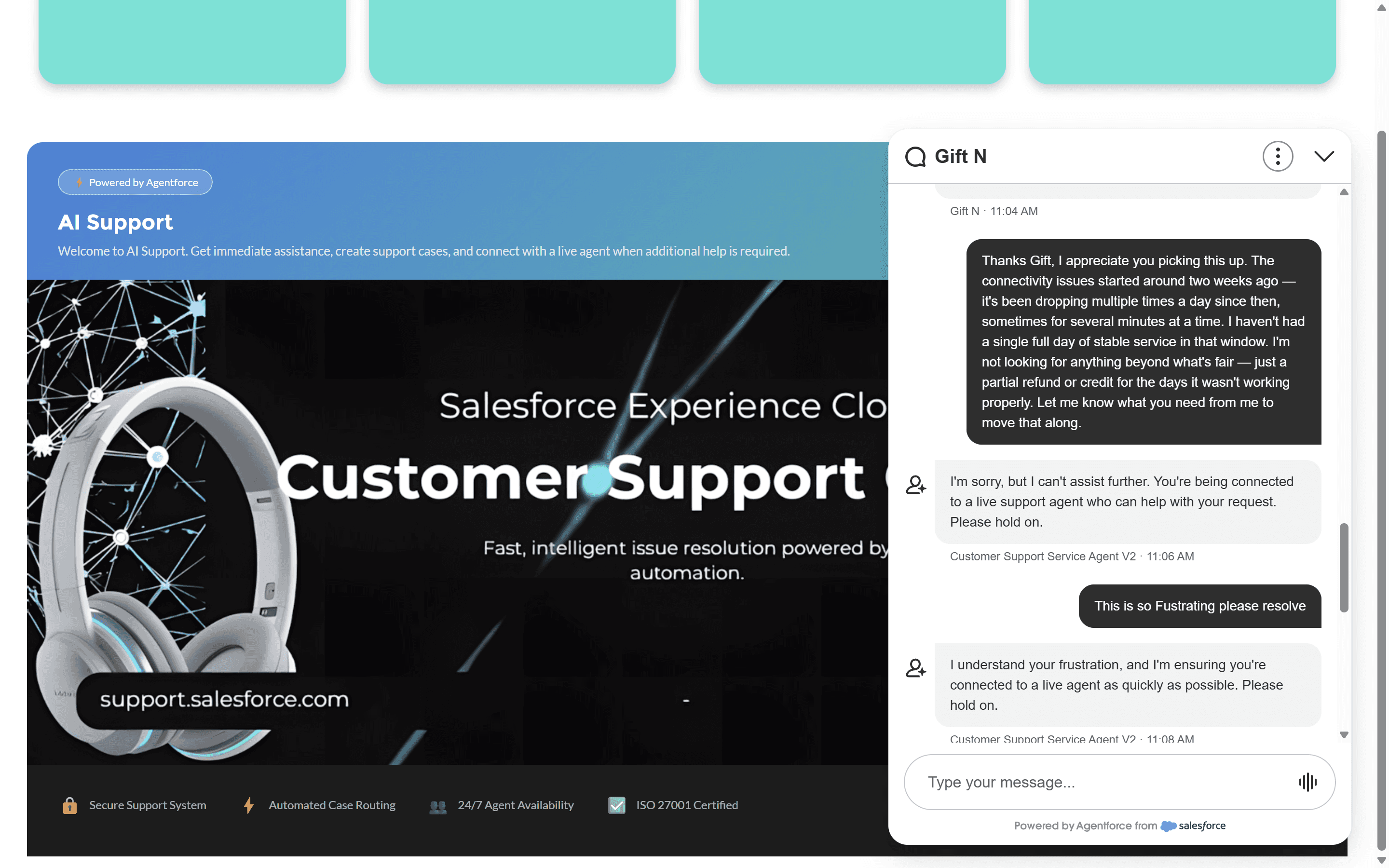
Customer → Agentforce → Escalation → Omni-Channel → Supervisor. This is one of the strongest proof points in the project because it shows automation, AI evaluation, routing, and human oversight operating as one connected service architecture.


Knowledge Retrieval Screenshot
01
AI + Human Collaboration
Customers receive automated assistance while maintaining access to human expertise when needed.
02
Automated Service Operations
Case creation, assignment, escalation, and routing are automated through Flow orchestration.
03
Unified Customer Experience
Experience Cloud, Messaging, Knowledge, AI, and Service Cloud operate as a connected ecosystem.
View the live Experience Cloud implementation and explore the architecture behind the customer support ecosystem.